
How to Wire a Push Button to the ERA-UTX Universal Transmitter
Connect a standard non-illuminated doorbell button to an ERA-UTX universal transmitter for long-range alert systems.
Published November 22, 2021
Connect a standard non-illuminated doorbell button to your ERA-UTX universal transmitter. This setup also works with wired magnetic door/window contacts for residential and commercial alert points.
Common Applications
- Traditional doorbell buttons for offices or homes
- Existing wired door contacts requiring long-range notification
- Alert paths where walls, distance, or materials weaken the signal
Installation Requirements
- ERA-UTX universal transmitter
- Non-illuminated push button
- Standard doorbell wire
- Basic hand tools
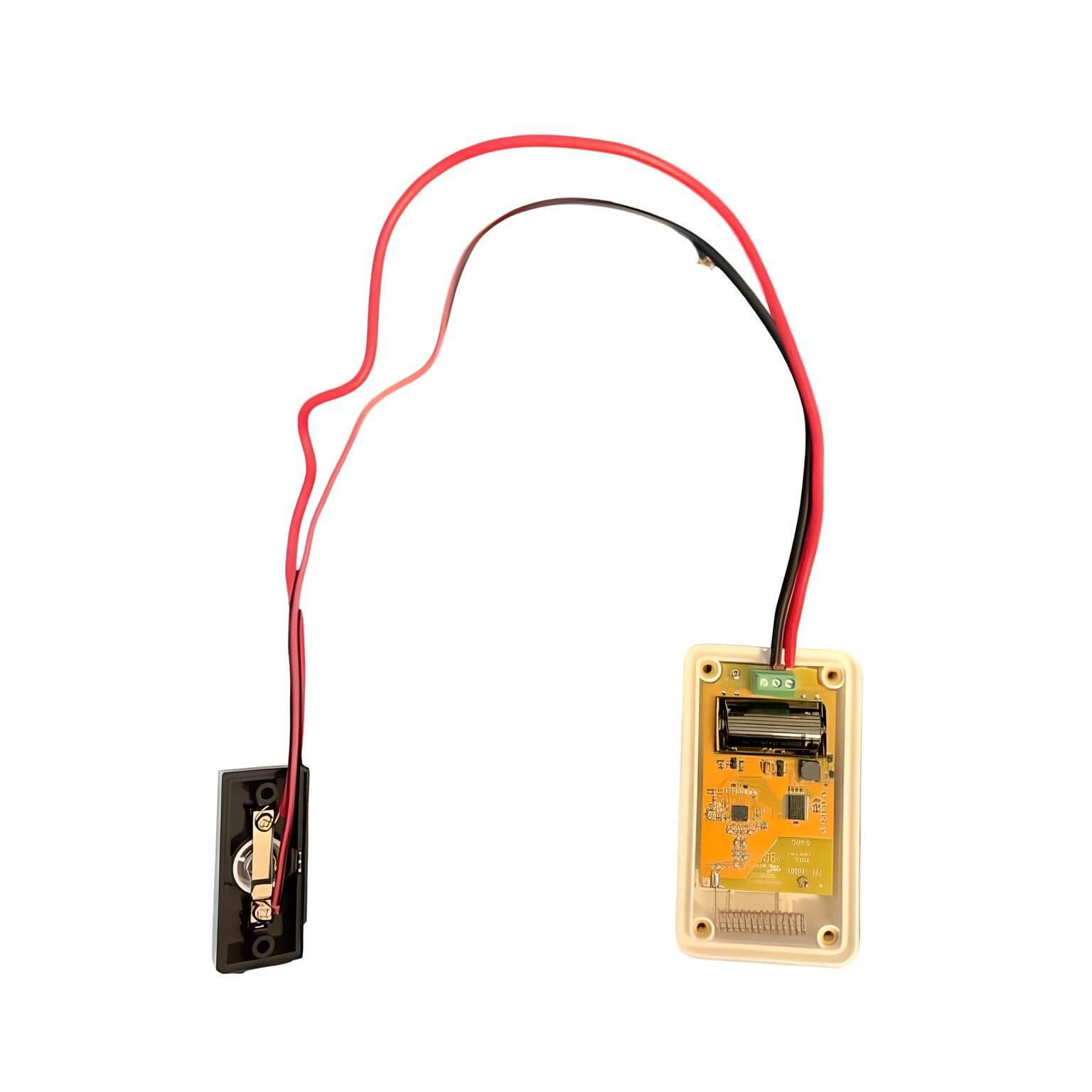
Connection Steps
- Locate normally open relay terminals on ERA-UTX
- Connect doorbell button wires to terminals
- Secure connections firmly
- Test connection before final mounting
Important Notes
- Use only non-illuminated buttons to preserve battery life
- Wire polarity doesn't matter
- Compatible with magnetic door contacts
- Mount transmitter inside building when possible
Where to go next
When this article answers part of your question, use these links to choose a receiver, find your product family, or browse the full catalog.
Browse FAQ categories
Jump straight to the product family and topic you need.
Learn moreBrowse all documentation
Open the full manual and article library when you need adjacent guides, wiring notes, or compatibility references.
Learn morePreview receiver sounds
Compare tones, sirens, and strobe-linked alerts before choosing a receiver or system.
Learn moreRead broader guidance
Move from the product-specific article into broader buying and troubleshooting guides when the issue spans multiple models or installs.
Learn moreReturn to the product catalog
Head back to the catalog once you know which family or alert type fits the job.
Learn moreGet expert help
Reach the Safeguard team when the next decision still needs a human recommendation.
Learn more